MacBook Air Screen Replacement
M1, M2, M3, M4 and Intel MacBook Air display repair in Marietta, GA
MacBook Air Screen Cracked or Damaged?
The MacBook Air's thin, lightweight design makes it a great everyday laptop - but that slim profile also makes the display vulnerable to cracks, pressure damage, and impact. We replace MacBook Air screens on every model from the original Intel Air through the latest M4. Quality replacement panels, expert installation, 60-day warranty.
MacBook Air Models We Repair
We replace screens on every MacBook Air generation. Whether you have an M2 Air with a cracked Liquid Retina display or an older Intel model with a damaged Retina panel, we have you covered.
MacBook Air M2 13" (A2681)
2022 M2 MacBook Air 13.6-inch with Liquid Retina display. The redesigned Air with the notch display and MagSafe charging. Screen replacement for cracked or damaged panels.
MacBook Air M2 15" (A2941)
2023 M2 MacBook Air 15.3-inch with Liquid Retina display. The larger Air model with the same display technology. Full panel replacement available.
MacBook Air M3 13" & 15"
2024 M3 MacBook Air models. Same Liquid Retina display design as M2 generation. Screen replacement and repair.
MacBook Air M1 (A2337)
2020 M1 MacBook Air 13.3-inch Retina display. The first Apple Silicon Air. LCD panel replacement for cracked or damaged screens.
MacBook Air M4 (A3240)
Latest generation MacBook Air with M4 chip. Liquid Retina display with the same slim design. LCD panel replacement available.
Intel MacBook Air (2018-2020)
Retina display Intel MacBook Air models including A1932 and A2179. LCD and display assembly replacement.
MacBook Air Screen Repairs
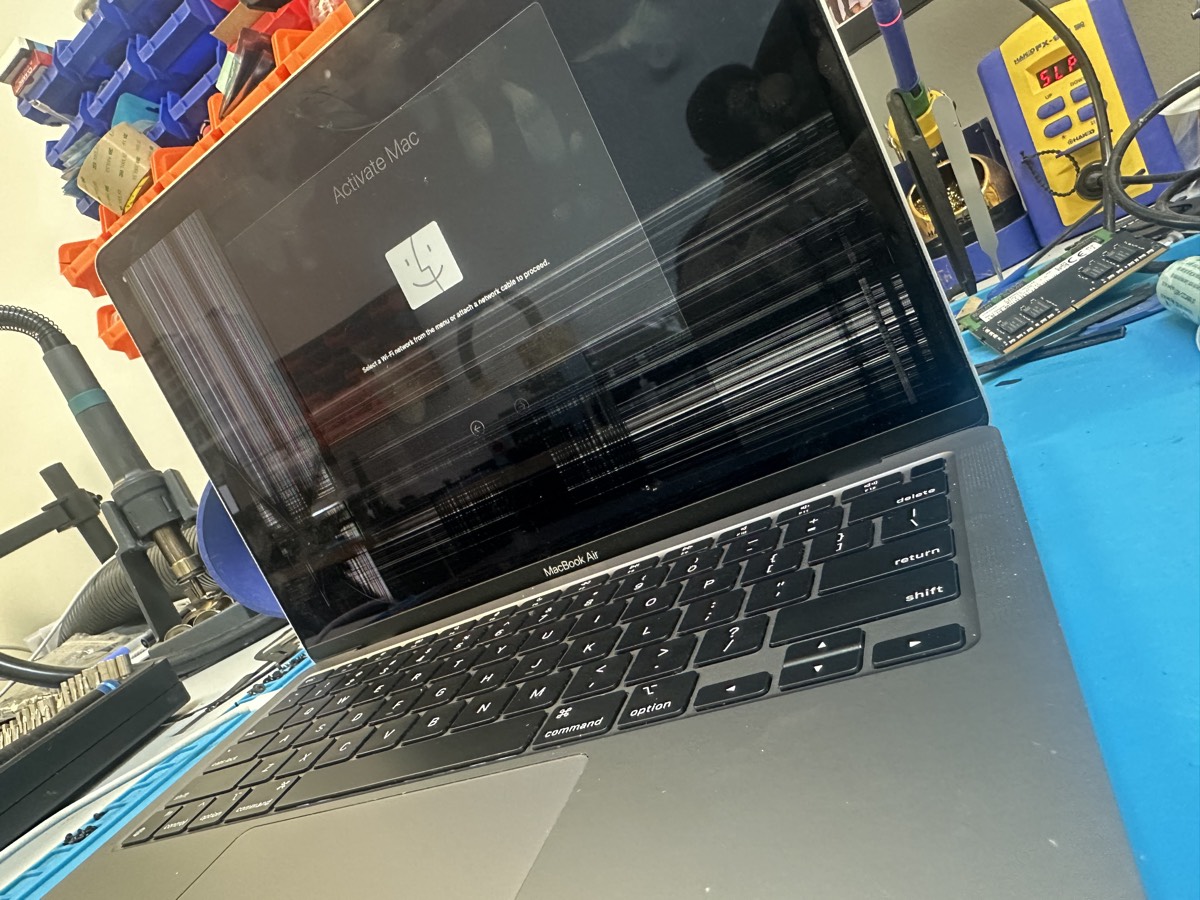
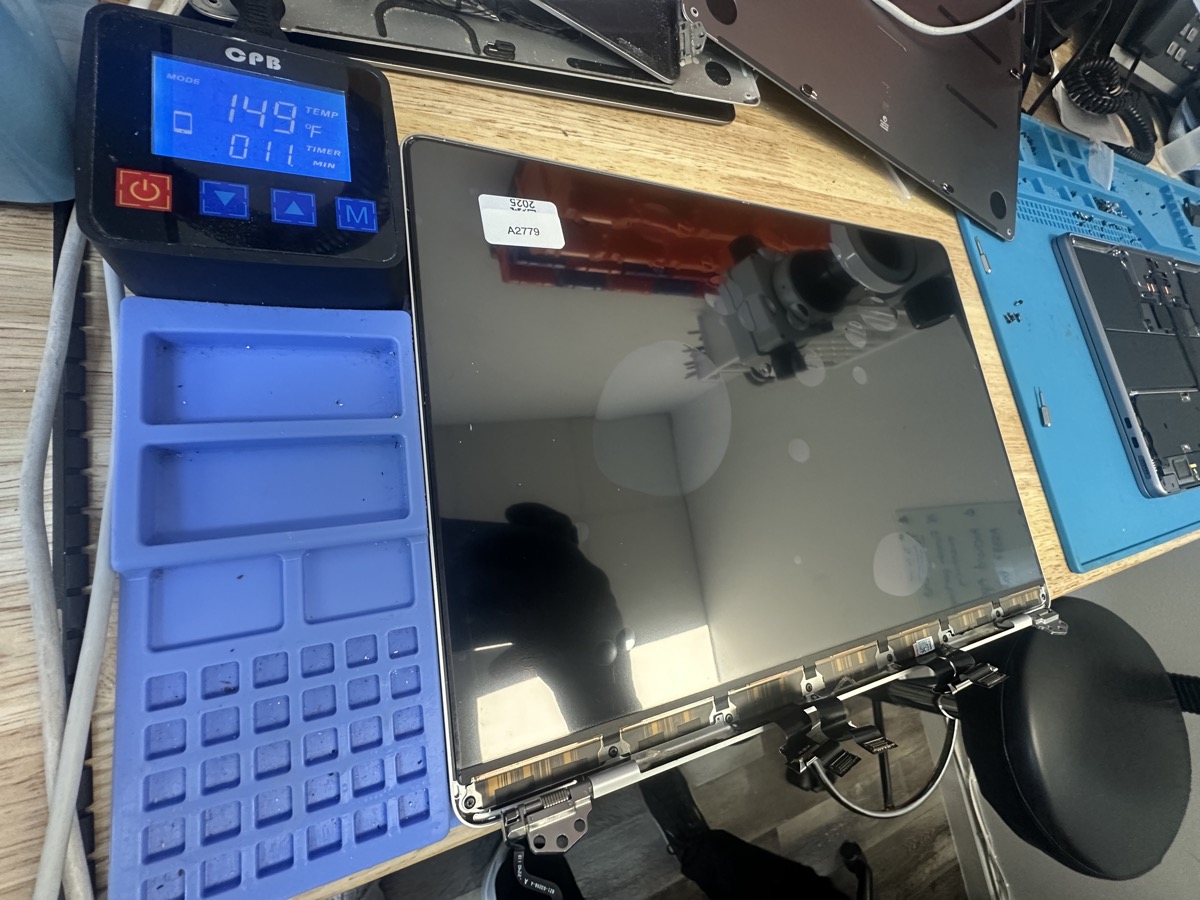
Real MacBook Air screen damage from our repair bench
Common MacBook Air Screen Issues
Cracked Display
Dropped your MacBook Air or closed the lid on something? Cracks spread quickly on the thin Air display. We replace the full panel to restore a perfect screen.
Lines Across Screen
Horizontal or vertical lines, flickering, or colored bands mean the LCD panel is damaged internally. Common from pressure or flex damage on the Air.
Black Spots or Dead Areas
Dark spots or areas where pixels don't work. Usually from pressure damage - the Air's thin lid makes it more susceptible to this.
Color Bleeding or Distortion
Pink, green, or rainbow-colored patches spreading from an impact point. The LCD fluid leaks from the crack and spreads over time.
Our Screen Replacement Process
Free Inspection
Bring your MacBook Air in and we'll assess the screen damage. We check for any additional issues and give you a clear quote - no charge, no obligation.
Parts Sourcing
We source a quality replacement display panel for your specific MacBook Air model. We match the exact panel type for your generation.
Expert Installation
Our technicians carefully replace the damaged display, ensuring proper alignment, cable routing, and secure fit.
Quality Check
We test brightness, color accuracy, and full functionality before you pick up. Your MacBook Air leaves looking and working like new.
MacBook Air Screen Replacement FAQ
MacBook Air screen replacement cost varies by model and generation. Newer M2 and M3 Air displays with the Liquid Retina panel are different from older Retina models. We provide a free quote after inspecting your specific MacBook Air so you know exactly what you're paying.
Typically 3-7 business days depending on parts availability for your specific model. Some common models can be faster if we have the panel in stock. We'll give you an estimated timeline when you drop off.
No. Screen replacement doesn't touch your storage or any internal components beyond the display. Your files, apps, and settings stay exactly as they are. We always recommend having a backup, but your data is safe.
On newer MacBook Air models (M1, M2, M3, M4), the glass and LCD are bonded together as a single panel, so the full display panel gets replaced. This ensures the best result with no dust or alignment issues. On some older models with separate glass, individual glass replacement may be possible.
Absolutely. The M2 MacBook Air is a capable machine that will last years. A screen replacement is significantly less expensive than buying a new laptop, and you keep all your data and settings. If the rest of the Mac works well, screen replacement is the smart choice.
MacBook Air Screen Damaged?
Don't live with a cracked display. Bring it in for a free inspection and quote.
More Repair Pages
Cracked MacBook Screen
All MacBook screen repairs - Pro, Air, and older models.
MacBook Repair
Full MacBook repair services - screen, battery, board, and more.
MacBook Battery Replacement
Battery replacement for all MacBook Pro and Air models.
Logic Board Repair
Component-level motherboard repair and micro-soldering.
Serving the Greater Atlanta Metro Area
Located in Marietta, we serve members from across the Atlanta metro area including Roswell, Kennesaw, Woodstock, Smyrna, Acworth, Cartersville, Adairsville, and all of Cobb, Cherokee, and Fulton counties. Just off I-75 with easy access from anywhere in the metro Atlanta area.
Visit The Mac Space
2200 Roswell Rd. Suite 130, Marietta, GA 30062
Association Hours (subject to change): Mon-Fri 11AM-6PM