MacBook Liquid Spill?
Spilled water, coffee, or soda on your MacBook? Act fast - we can help
Time Is Critical
Liquid damage gets worse over time. Corrosion starts immediately and spreads fast. The sooner you get your MacBook to us, the better your chances of a full recovery. Don't wait - don't try to turn it on - bring it in ASAP.
What To Do RIGHT NOW
DO: Turn It Off Immediately
If it's still on, hold the power button to shut it down. Every second it's running with liquid inside causes more damage.
DO: Unplug Everything
Disconnect the charger and any USB devices immediately. Electricity + liquid = more corrosion.
DO: Keep It Still
Leave the MacBook in the position it was in when the spill happened. Don't flip it, don't tilt it, don't shake it. Moving it around causes the liquid to travel to parts of the board it hasn't reached yet - making the damage much worse.
DO: Bring It To Us
Get it to a professional ASAP. The faster we can open it and clean it, the better your outcome.
DON'T: Try to Turn It On
This is the #1 mistake people make. Powering on a wet Mac causes short circuits and permanent damage.
DON'T: Flip It or Tilt It
This is a common instinct - flip it upside down to "pour the liquid out." Don't. The moment you flip or tilt your MacBook, the liquid travels across the entire logic board, reaching components that were dry before. You're spreading the damage to areas that would have been fine. Keep it still.
DON'T: Use Rice
Rice doesn't work. It doesn't absorb liquid inside your Mac, and rice dust can make things worse.
DON'T: Use a Hair Dryer
Heat can damage components and spread liquid further into the machine.
DON'T: Wait and Hope
Corrosion starts immediately and spreads every hour. Waiting makes things worse, not better.
What Did You Spill?
Different liquids cause different levels of damage:
The least damaging liquid - but still causes corrosion over time. Quick action gives the best recovery chances.
Sugars and acids cause faster corrosion than plain water. Black coffee is better than coffee with cream and sugar.
High sugar content causes aggressive corrosion. These spills need professional cleaning ASAP.
Sugars and acids make these particularly damaging. Don't delay - bring it in immediately.
High sugar and organic content means fast corrosion and potential for mold growth if left untreated.
Before and After: Liquid Damage Treatment
Drag the slider to see the difference our cleaning process makes

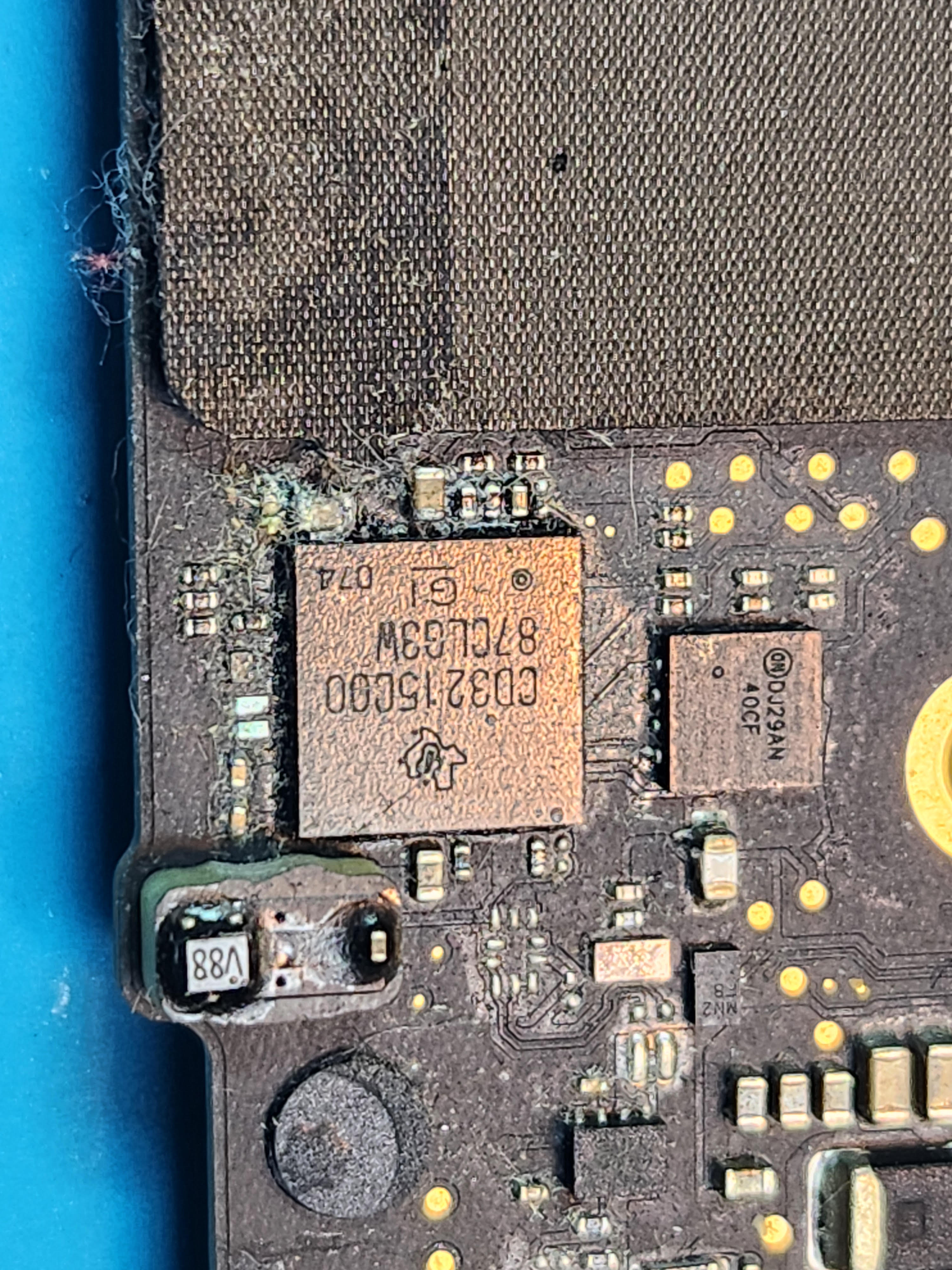
Corrosion and residue removed with ultrasonic cleaning - board restored to working condition
Our Liquid Damage Process
1. Immediate Disassembly
We open your MacBook and disconnect the battery to stop any ongoing electrical damage.
2. Ultrasonic Cleaning
We clean the logic board with professional ultrasonic equipment to remove all corrosion and residue.
3. Damage Assessment
After cleaning, we inspect for any damaged components that need repair or replacement.
4. Component-Level Repair
If needed, we perform micro-soldering to replace damaged chips, connectors, or circuits.
Liquid Damage FAQ
Not necessarily. Corrosion happens over time. Your Mac might work today but fail in a week or month as corrosion spreads. We recommend getting it cleaned professionally even if it seems fine.
It depends on the extent of the damage. Basic cleaning starts at $150. If components need replacement, the cost increases based on what's damaged. We always quote before doing any repair work.
Usually yes! Even in severe liquid damage cases, we can often recover data from the SSD. Data recovery is one of our specialties.
It's not too late to try. Corrosion damage can sometimes be cleaned and repaired even after time has passed. Bring it in - we'll give you an honest assessment.
Rice can't absorb liquid that's already inside your Mac's sealed components. It doesn't stop corrosion, and rice dust can actually cause additional problems. Professional cleaning is the only real solution.
Related Services
Logic Board Repair
Component-level motherboard repair and micro-soldering for all Mac models.
MacBook Not Turning On
Dead Mac? We diagnose and fix no-power issues at the board level.
Data Recovery
Recover your files from liquid-damaged Macs, failed drives, and dead boards.
MacBook Cleaning Service
Ultrasonic board cleaning to remove corrosion, dust, and residue.
Spilled Something? Act Now.
Time is critical with liquid damage. Bring your MacBook in as soon as possible.
Visit The Mac Space
2200 Roswell Rd. Suite 130, Marietta, GA 30062
Mon-Fri: 11AM-6PM | Sat-Sun: Closed